
Domain Name System
Domain name system translate the human readable domains such as www.example.com to internet protocal addresses such as 172.66.147.243 that can be used to communicate with devices over the web. DNS results can also be cached by your browser or OS for a certain period of time, determined by the time to live (TTL).
There are 4 DNS server involved in this translation and loading of a webpage:
- DNS recursor: This is a server that recieves the client dns query and makes additional request to process the request and obtain the ip address
- Root nameserver: It is the server that get the request from dns recursor and redirects lookup request to the valid tld nameserver.
- TLD nameserver: Its a specialized server that managers the domain related to a last portion of the domain such as
.com,.org, etc - Authoritative nameserver: It holds the official dns record name that would be queried by the request and the obtained ip would be returned to the client. Additionally another authoritative server may be present to store data related to subdomains.
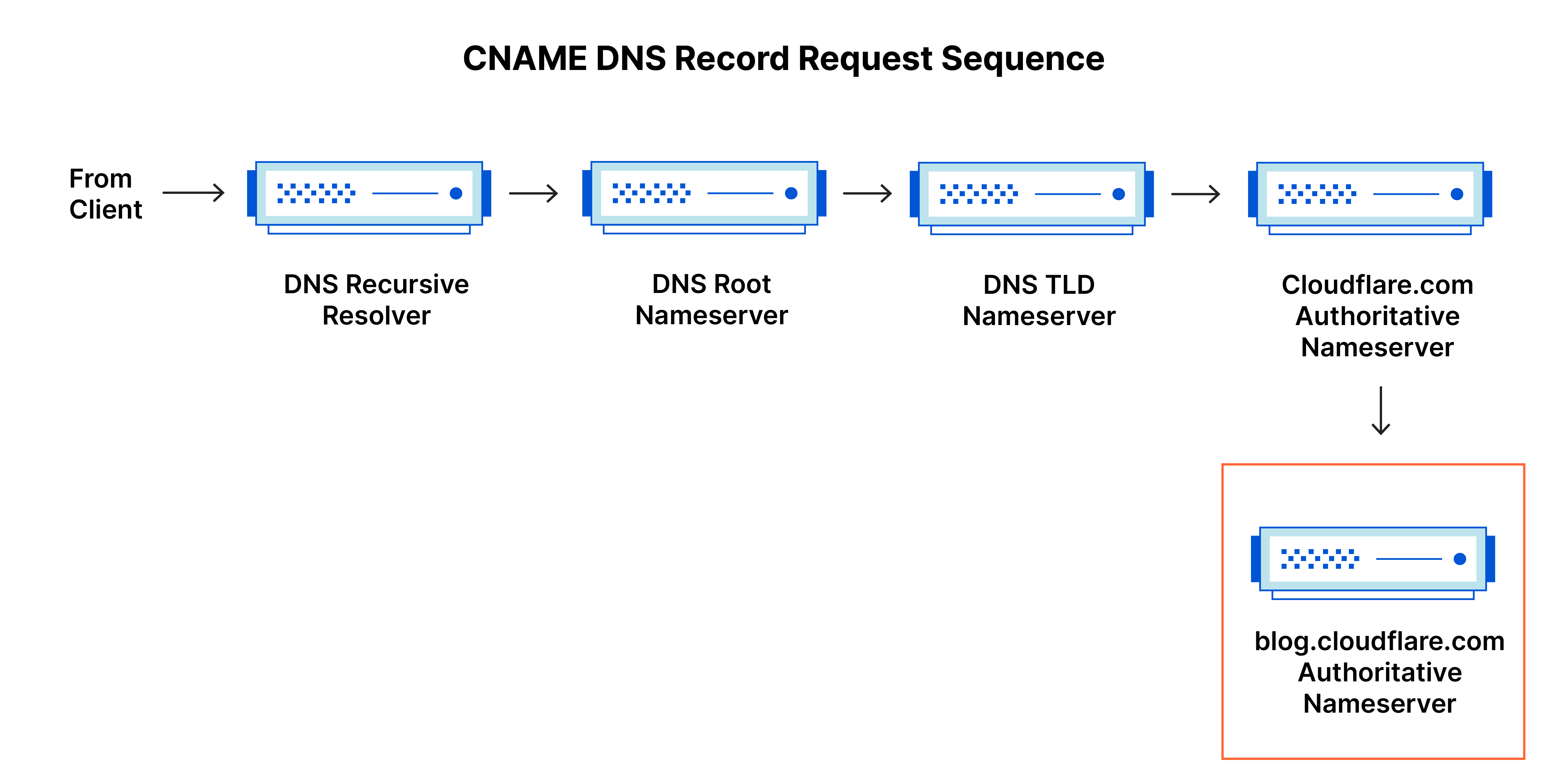
DNS lookup
There are 8 steps involved in a dns lookup to convert a domain name to an ip address
- The user typed domain request is sent to the dns recursive resolvere.
- The resolver queries root nameserver
- The root server then responds to the resolver with the address of the tld server
- The resolver makes request to tld server
- The TLD server responds with the ip address of the domain's nameserver.
- The recursive resolver sends query to domain's nameserver
- The IP address is then returned to the resolver.
- The DNS resolvers then responds to the client with the ip address of the requested domain.
Types of DNS queries
In a typical DNS lookup three types of queries occur. By using a combination of these queries, an optimized process for DNS resolution can result in a reduction of distance traveled.
- Recursive query: In a recursive query, a DNS client requires that a DNS server (typically a DNS recursive resolver) will respond to the client with either the requested resource record or an error message if the resolver can't find the record
- Iterative query: in this situation the DNS client will allow a DNS server to return the best answer it can. If the queried DNS server does not have a match for the query name, It will return a referall to a DNS server authoritative for a lower level of domain namespace. The DNS client will then make a query to the referral address. This process continues with additional DNS servers down the query chain until either an error or timeout occurs
DNS Records
DNS (Domain Name System) records act as instructions stored on authoritative DNS servers to provide information about a domain, including its IP address and how to handle requests. Most common DNS records are:
- A Record (Address): Maps hostname such as
example.comto an IPV4 address. - AAAA Record (Quad-Address): Maps hostname such as
example.comto an IPV6 address. - CNAME Record (Canonical Name): Aliases one domain to other domain. such as alias
www.example.comtoexample.com. - MX Records (Mail Exchange): Specifies the mail servers responsible for accepting email messages on behalf of a domainb
- TXT Record (Text): Allows administrators to insert arbitrary text into a DNS record. Commonly used for email security frameworks like SPF (Sender Policy Framework), DKIM (DomainKeys Identified Mail), and DMARC.
- NS Record (Name Server): Indicates which DNS servers are authoritative for a domain (i.e., which servers hold the actual DNS records).
- SRV Record (Service): Defines the location (hostname and port number) of specific services, such as VoIP or IM networks.
- PTR Record (Pointer): Resolves an IP address to a domain name (the exact reverse of an A Record). Used primarily in Reverse DNS lookups.
Routing Policies
It dictates how traffic is directed accross networks, specifically within complex cloud infrastructures or via global DNS systems. The primary routing policies are:
- Simple Routing: Directs all traffic for a specific domain or resource to a single destination
- Weighted routing: Distributes traffic accross multiple resources based on the assigned wieghts. Good for A/B testing or gradually rolling out new services.
- Latency based routing: Routes user requests to the network resource or data center that provides the lowest network latency (fastest response time) for that specific user.
- Failover routing: Configures an active-passive setup. Traffic is sent to the primary (active) resource as long as it is healthy. If health checks determine the primary resource has failed, traffic is automatically redirected to a secondary (passive) backup resource
- Geolocation routing: Directs traffic based on the geographic location of the user (by continent, country, or state), regardless of latency. Presenting localized content, enforcing regional compliance laws, or restricting content availability based on user location
- Geoproximity Routing: Routes traffic based on the geographic distance between the user and the available resources. This policy allows you to shift traffic from one region to another by applying a "bias" to a resource, expanding or shrinking the geographic zone it influences.
- Multi-Value Answer Routing: Configures DNS to return multiple healthy IP addresses in response to a single query. The client or browser randomly selects one. If a resource fails a health check, it is excluded from the returned values.